BEFORE & AFTER · QWEN IMAGE 3.0 PRO

Change an outfit in a portrait while keeping the lighting.

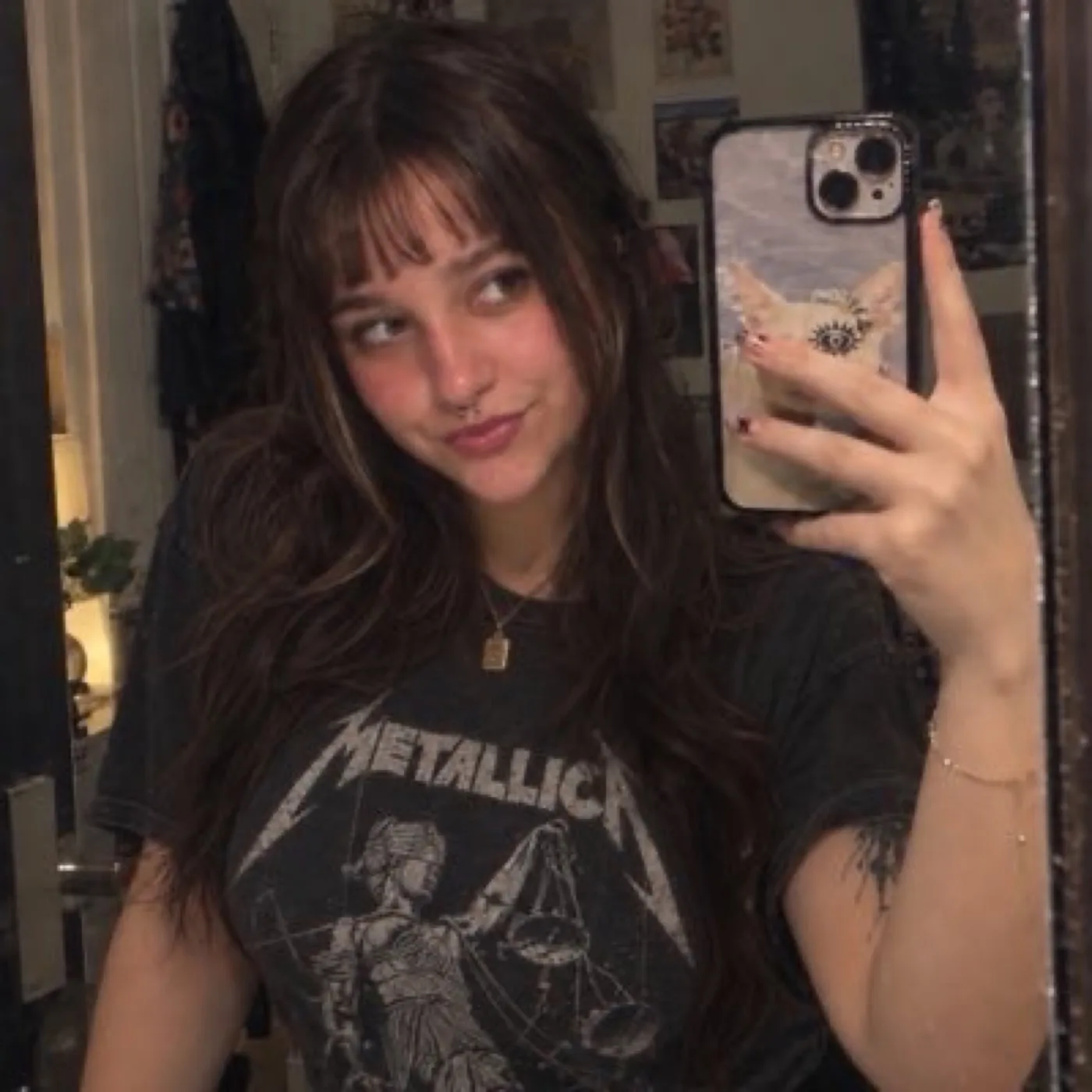
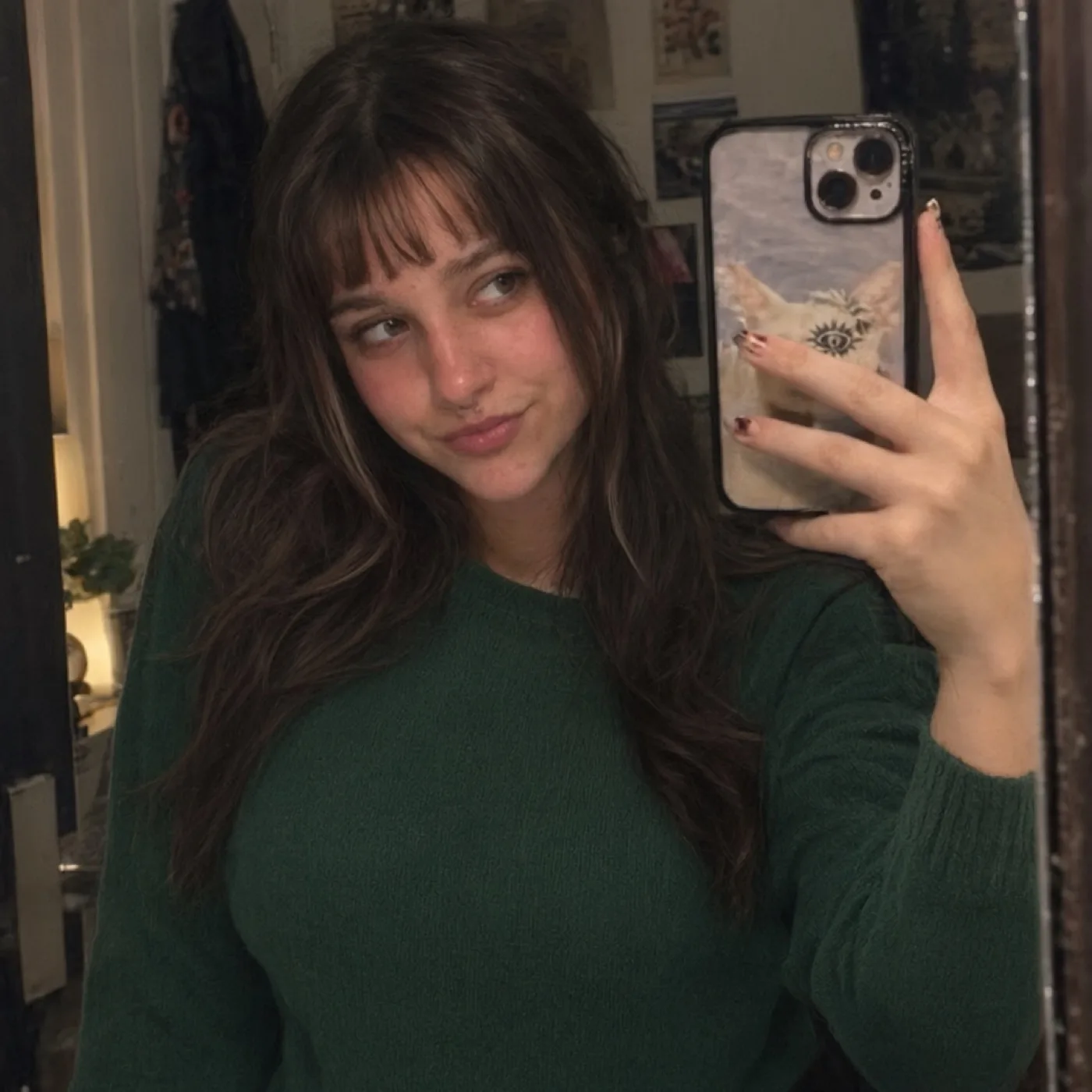
This modest clothing-edit example changes a black graphic T-shirt to an opaque forest-green crewneck sweater. The direction also asks for clearer detail without relighting the selfie or changing the person, expression, pose, phone, or setting.

MODEL · QWEN IMAGE 3.0 PROEDIT · CLOTHING + CLARITYOUTPUT · 1K
Before: provided mirror selfie with a black graphic T-shirt
BeforeProvided portrait
After: same mirror selfie with an opaque forest-green crewneck sweater
AfterQwen Image 3.0 Pro · 1K

The portrait was provided for this demo and edited with a non-suggestive clothing change. Publish or edit a real person’s image only when you have their permission and the necessary rights.

The prompt used for the clothing change

Improve the photo clarity and fine detail, reducing blur while keeping it natural and realistic. Preserve the original lighting exactly: do not brighten, darken, relight, change shadows, exposure, or color temperature. Change only the black graphic T-shirt into a modest, opaque dark forest-green crewneck sweater with realistic fabric texture. Keep the person’s face and identity, apparent age, expression, hair, skin, body shape, hand and phone pose, framing, background, and all lighting unchanged. Fully clothed, natural everyday fashion photo. Do not add text, logos, jewelry, or watermark.

Keep an outfit edit focused

For a clothing variation, identify one garment and describe the desired color, cut, and material. Then state that the person’s face, apparent age, pose, body shape, hair, background, and lighting should stay the same. This is a request for a visual variation, not a guarantee of perfect fit, exact textile rendering, or a true virtual try-on measurement.

Here, the source was a provided portrait. We asked the model to reduce blur while preserving the original low-light appearance; AI enhancement may reconstruct detail and should not be treated as a faithful recovery of information the camera never captured.

Consent and responsible use

Use portrait editing only with images you have permission to process. Do not use a person’s image to mislead others, impersonate them, or create an intimate or exploitative depiction. Provider rules apply to every generation.

See the other image editing examples or review model settings and credit estimates in the ImageGen Studio editor.